Multi-track timeline, GPU transitions, text animations, text style presets, tone curves, AI noise reduction, and 4K export up to 60FPS. All processing stays on your device.
What you get
Open on a desktop to use the web editor
Multi-track timeline, keyboard shortcuts & hardware-accelerated export

Multi-track timeline, GPU transitions, text animations, 4K export with hardware acceleration — all in your browser, no installs needed.
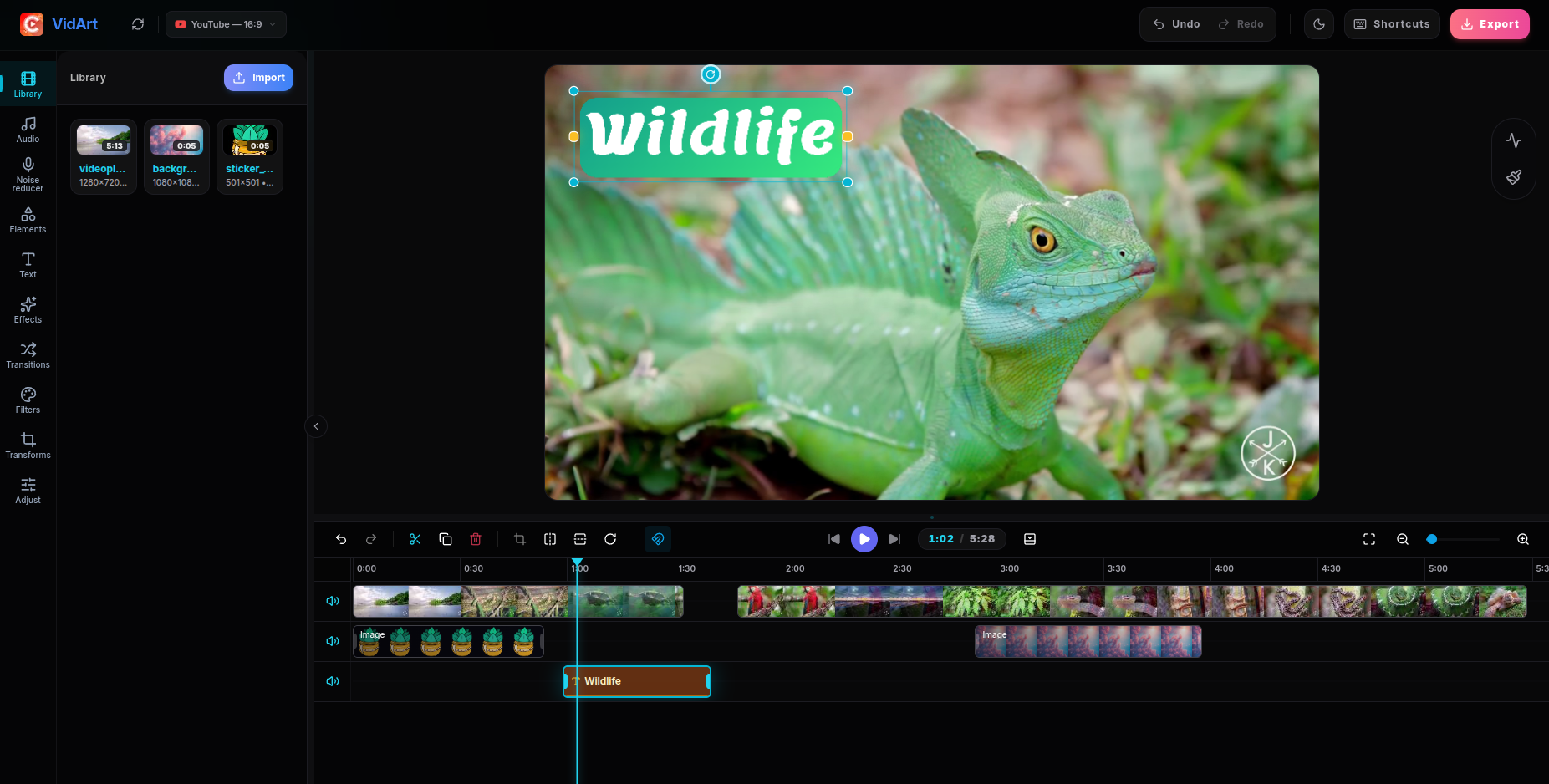
Full multi-track timeline with frame-accurate editing for landscape videos. Cut, trim, add transitions, text overlays and export in up to 4K.
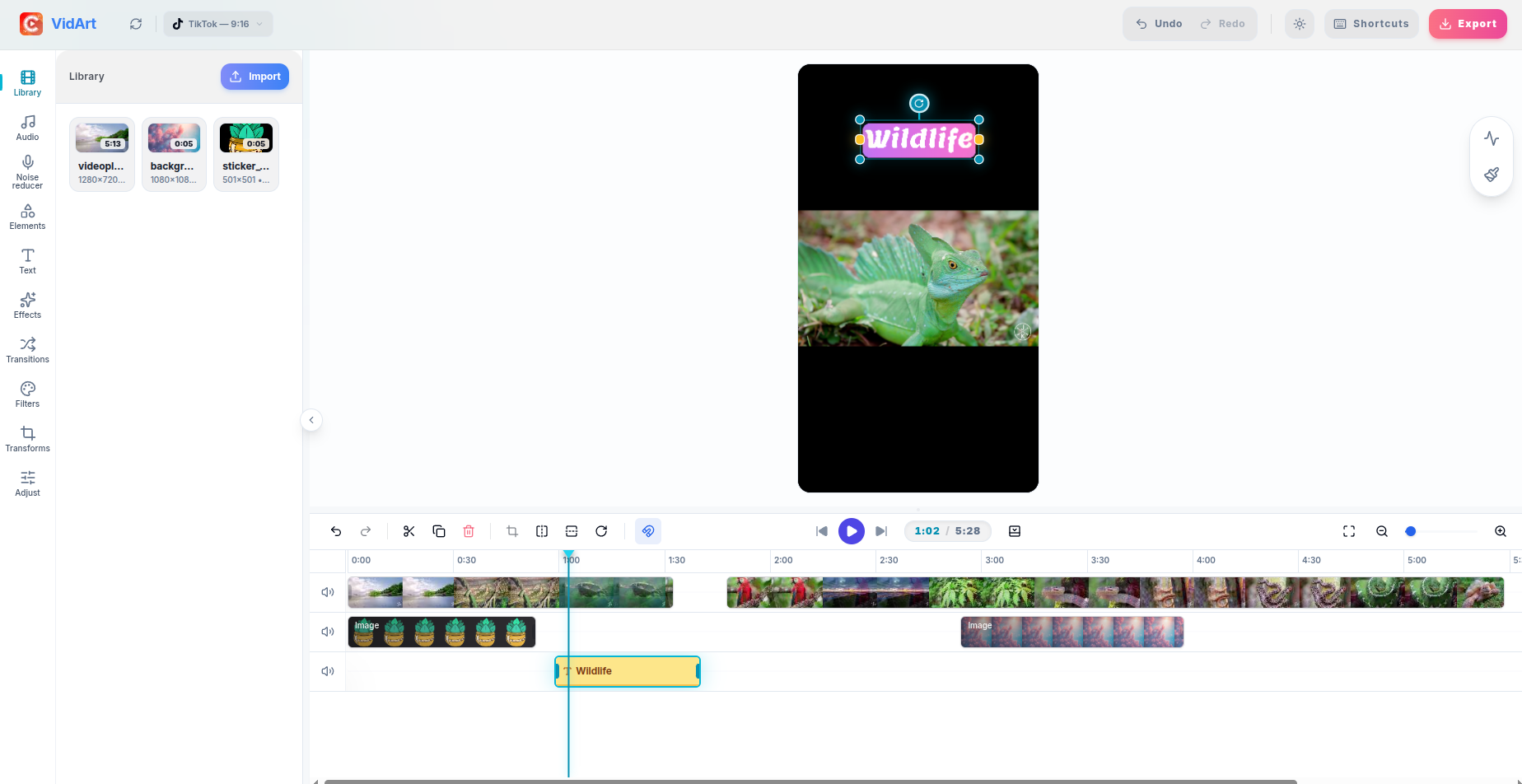
Switch to portrait mode and edit vertical videos with the same powerful tools. Perfect for short-form content across all platforms.
Capabilities
A desktop-class editing toolkit running entirely in your browser. No installs, no plugins, no compromises.
All processing happens locally via WebCodecs. Your files never leave your device.
Export up to 4K at 20-60 FPS with hardware-accelerated H.264, H.265, AV1, and VP9.
Unlimited video, audio, text, and image tracks with snap-to-edge and auto-scroll.
Split at playhead with one key. Frame-accurate trim handles and per-clip speed control.
Neon, Fire, Ice, Luxury, and more. Full stroke, shadow, and glow control with searchable fonts.
Fade, slide, bounce, typewriter, glitch, 3D, and cinematic animations with custom easing.
Page curl, book flip, hexagonalize, ripple, and more — all GPU-accelerated GLSL shaders.
Brightness, contrast, saturation, temperature, tint, and interactive tone curve editor.
Cinematic looks, vintage tones, and color grades with adjustable intensity. One-click reset.
Built-in stock audio with preview. Per-clip volume and speed. Import MP3 and WAV.
One-click AI background noise removal. Toggle between original and denoised audio.
Scale, rotate, flip, and crop with on-canvas handles. Aspect ratio presets for every platform.
Workflow
Drop video files from your device. MP4, MOV, MKV, WebM, AVI — all major formats supported instantly.
Cut, trim, split on a multi-track timeline. Add text with style presets and animations. Apply GPU transitions, tone curves, LUT filters, and per-clip speed control.
Download in up to 4K at 20-60FPS with hardware-accelerated H.264, H.265, AV1, or VP9 encoding. No watermark.
Reviews
“This replaced my entire desktop editor. The timeline is incredibly smooth and the 4K export is blazing fast — all in a browser.”
“Finally a browser editor that doesn't feel like a toy. Multi-track, text overlays with real animations, proper keyboard shortcuts — it has everything.”
“The fact that nothing leaves my computer is huge for client work. Privacy-first and genuinely powerful. The transitions library is insane.”
“I was skeptical about a browser-based editor handling 4K footage, but this thing is legit. Hardware acceleration makes such a difference.”
Desktop-class editing tools in your pocket. Smart templates, precise trimming, and flawless performance.
FAQ
No subscription, no watermark, no hidden fees. Export as many videos as you like with no restrictions.
Never. All editing and processing happens locally inside your browser using the WebCodecs API. Your files stay on your device at all times — we literally cannot see them.
MP4, MOV, MKV, WebM, AVI, and most other common video formats are supported for import.
You can export up to the original resolution of your source video. 4K, 1080p, and 720p exports are all fully supported with hardware acceleration.
Cut, trim, split, merge, and reorder clips on a multi-track timeline. Add text overlays with style presets (Neon, Fire, Ice, Luxury, etc.) and text animations. Apply GPU-accelerated transitions. Color correction with brightness, contrast, saturation, hue, temperature, tint, and interactive tone curves. LUT-based filters, per-clip speed and volume control, AI noise reduction, sticker and background libraries, and canvas aspect ratio presets for YouTube, TikTok, Instagram, and more.
The web editor works best on desktop browsers (Chrome, Edge, Firefox). For mobile editing, try the VidArt app on Android for the best experience.
Since all processing happens on your device, the only limit is your browser's available memory. Most modern computers handle files up to several GB without issues.
No account required to start editing. Creating an account unlocks additional features like longer exports and AI noise cancellation.
